
- iOS app
PlumoSort your iPhone photos by swiping
An iOS app to sort your photo library by swiping and free up space: duplicates, heavy files, lighter videos, nothing deleted until you confirm.

Launch film · English voice-over and captions · 0:30
The film, in text
Running out of space on your iPhone? Swipe right to keep. Swipe left to delete. Swipe up for later. Plumo. Sort it out. Get your space back.
Duplicates and look-alikes: Plumo suggests the one to keep.
Your largest files, first.
Your 4K videos become Full HD: much lighter.
By month, on this day, or from your apps.
Nothing is deleted without your say-so.
And you see the space you got back.
Everything stays on your iPhone. No account needed. Plumo. A lighter photo library.
At a glance
- sections to sort
- 10
- tools to free up space
- 3
- languages
- 3
- accounts to create
- 0
The app, screen by screen
8 features, each on one of the app’s screens. Screenshots of the app, on a demo library made of public-domain photos.
01 / 08
01
The library at a glance
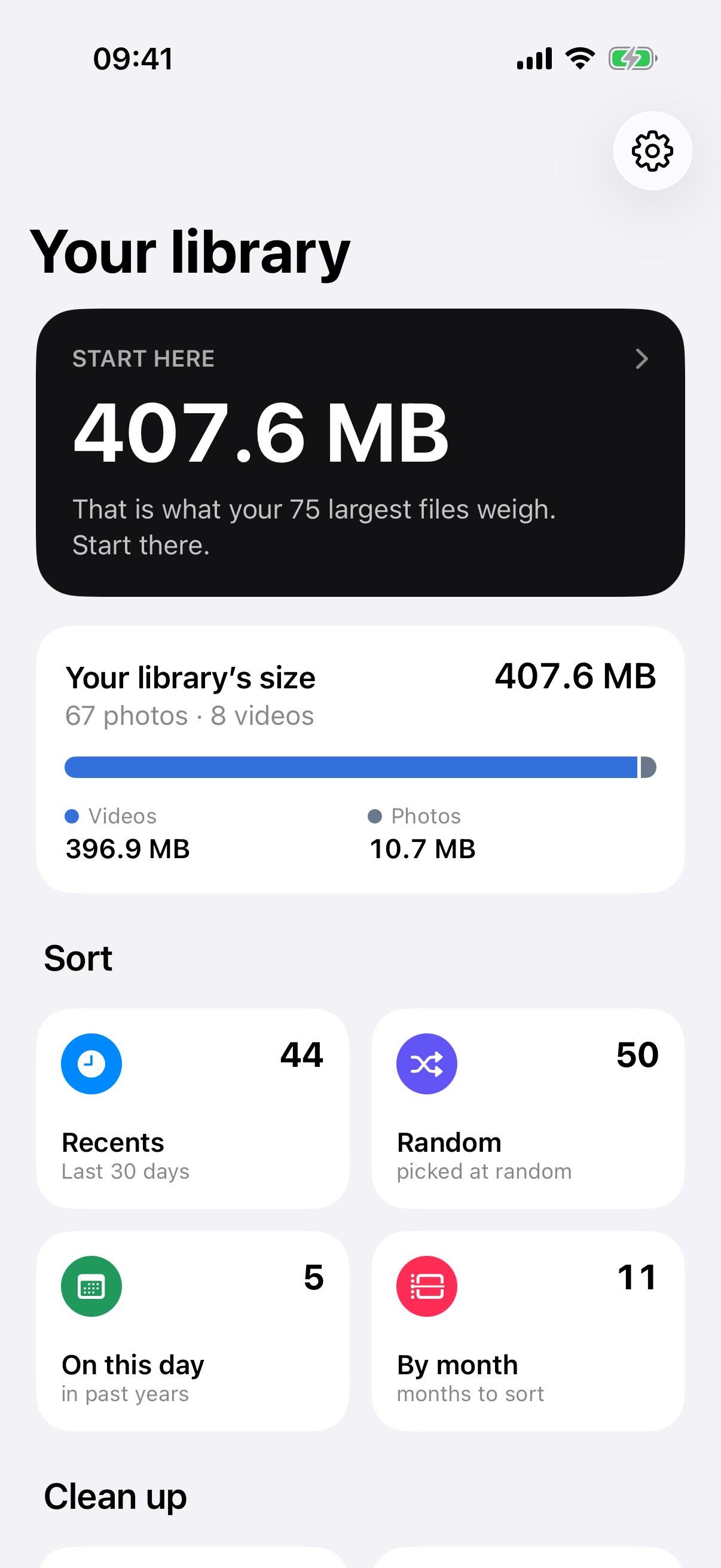
What the library weighs, videos and photos apart, and where to start: the largest files. Then the ways to sort, in three bands.
- Where to start
- The weight, videos and photos apart
- Recents, random, on this day, by month
01 / 08
The library at a glance
What the library weighs, videos and photos apart, and where to start: the largest files. Then the ways to sort, in three bands.
- Where to start
- The weight, videos and photos apart
- Recents, random, on this day, by month
02 / 08
Sort by swiping
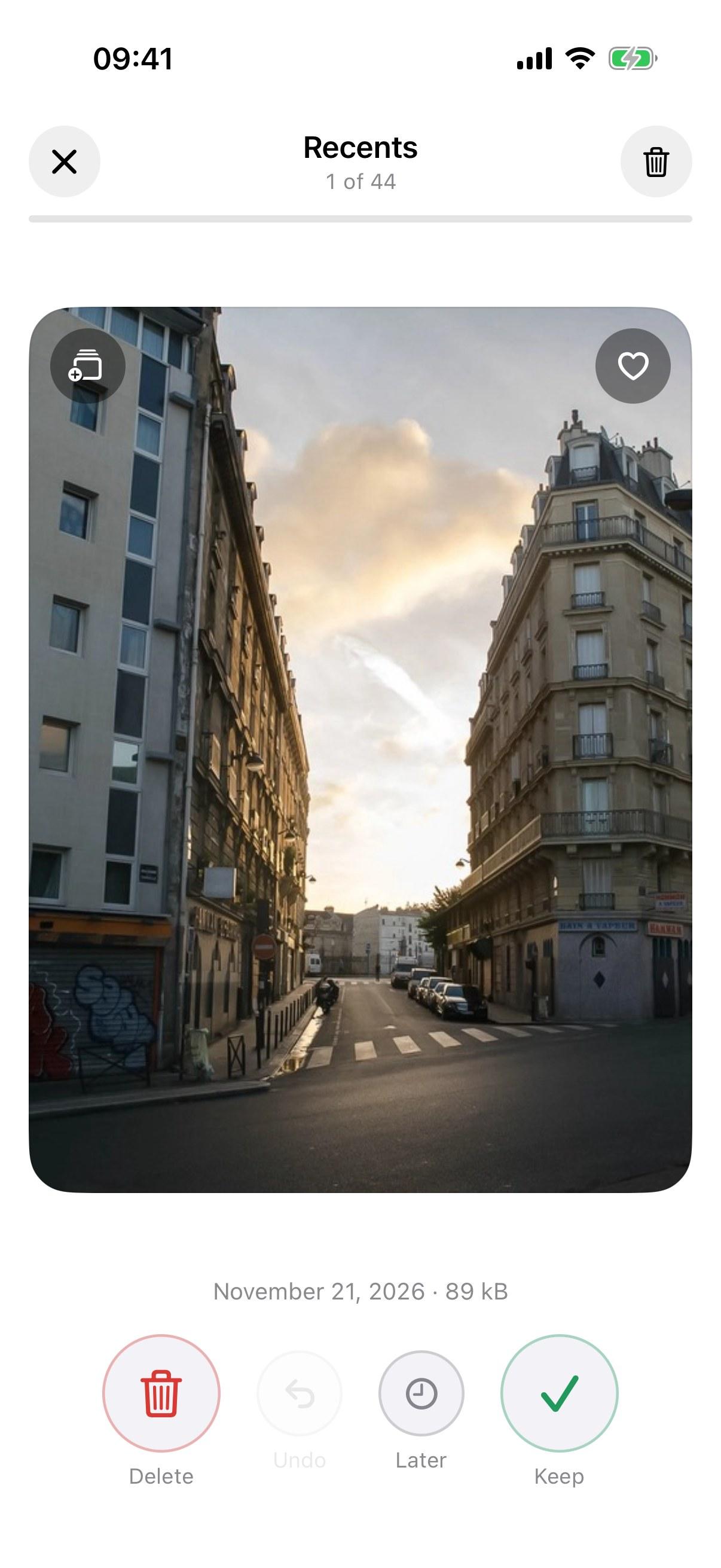
Left to delete, right to keep, up for later, down to file into an album. Every choice can be undone in one tap.
- One swipe to decide
- The heart: a favourite, and kept
- File into an album
03 / 08
Duplicates and similar photos
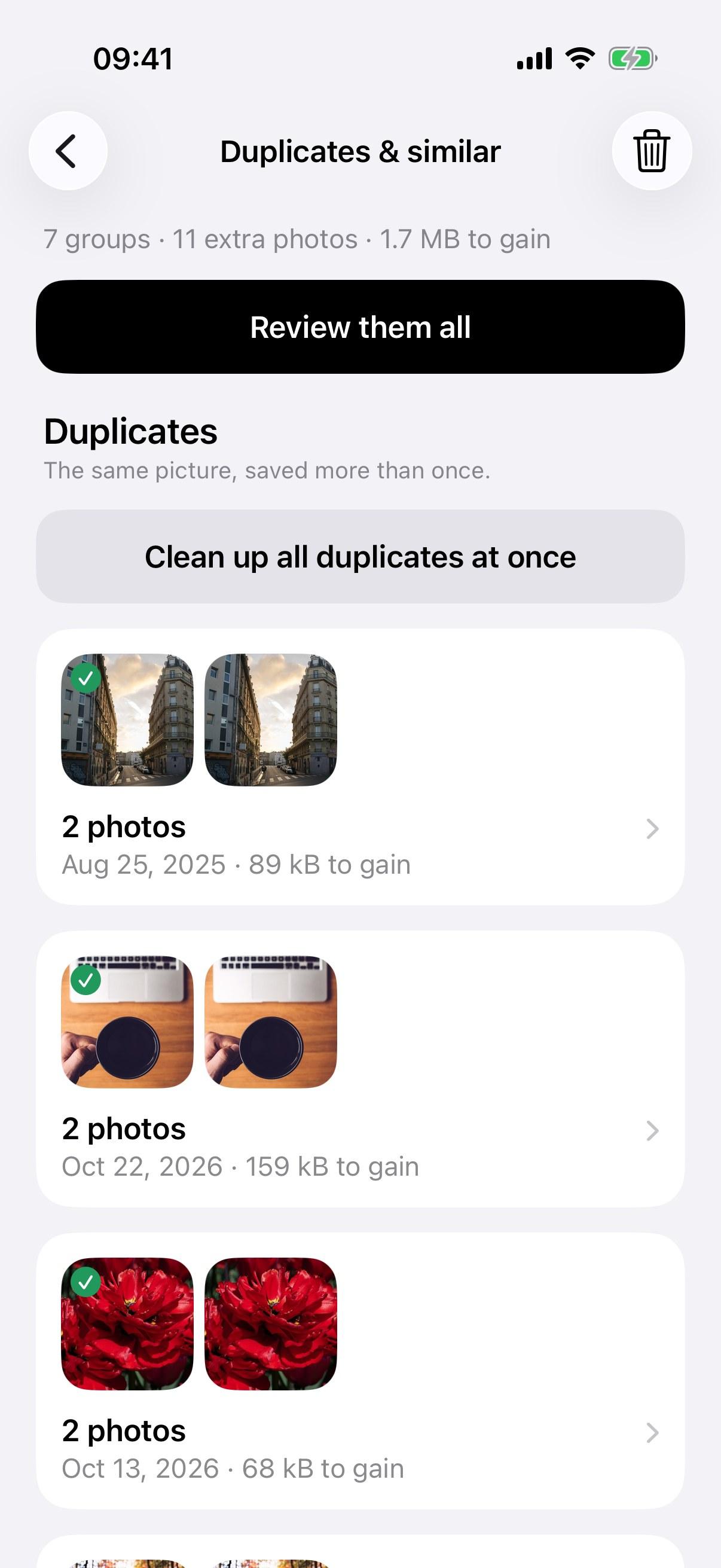
Copies of the same picture, and photos taken at the same moment. Each group says what it would free.
- Review them all
- The same picture, saved twice
04 / 08
The best one, suggested
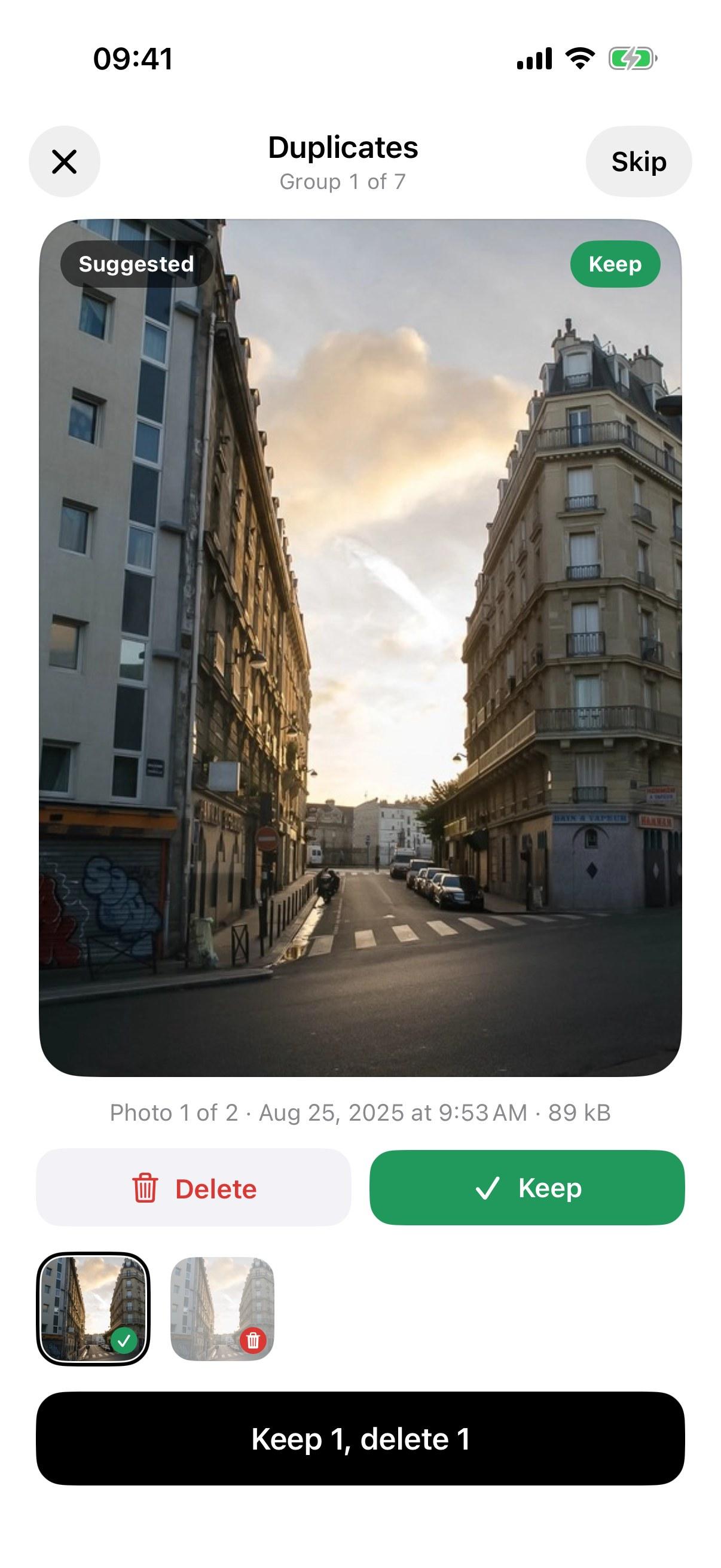
In each group, one photo is suggested and kept, the others are put forward for deletion. You change your mind photo by photo, then confirm the group.
- The suggested photo
- The group's photos
- Confirm the group
05 / 08
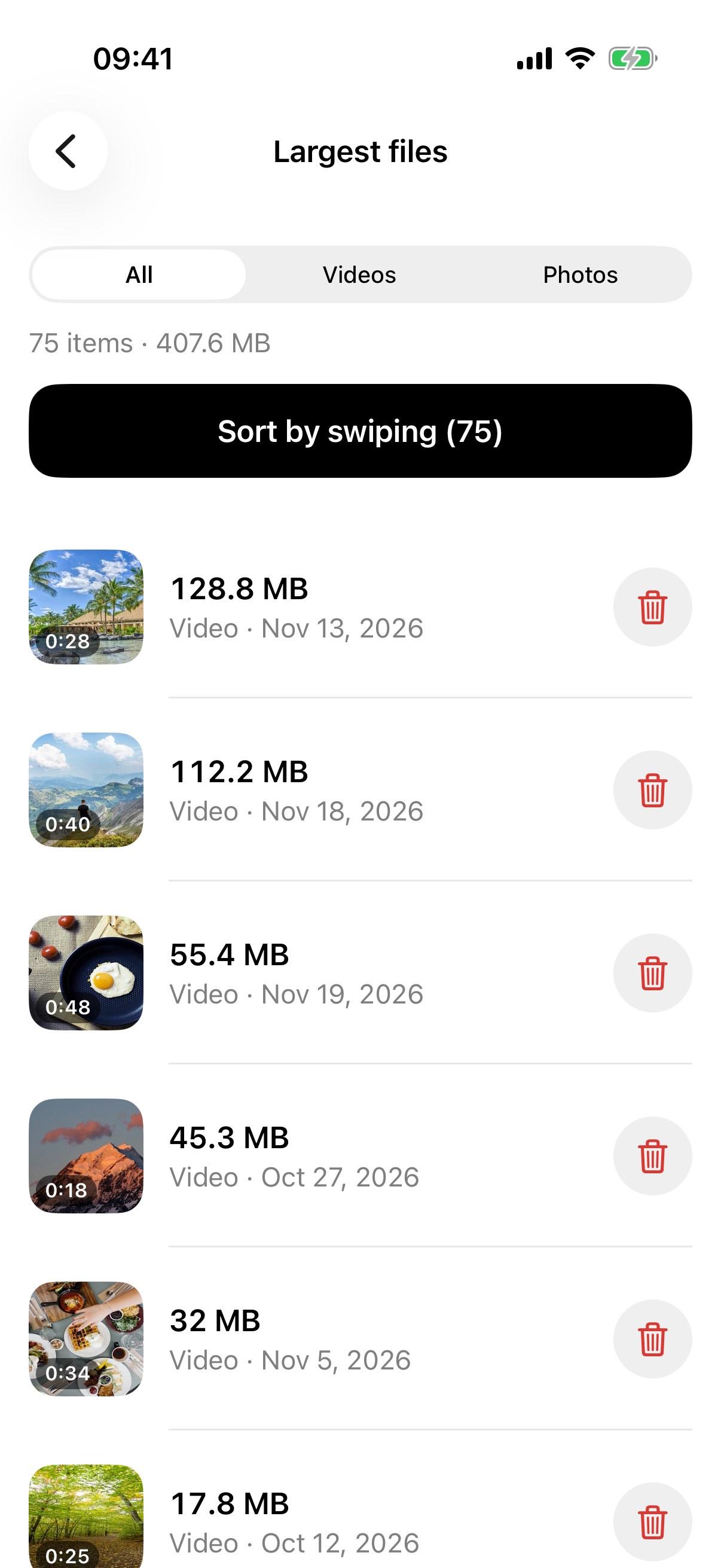
Largest first
Photos and videos, from the heaviest file to the lightest. One tap for the trash, or sort them all by swiping.
- Sort them all by swiping
- From heaviest to lightest
- To the trash, in one tap
06 / 08
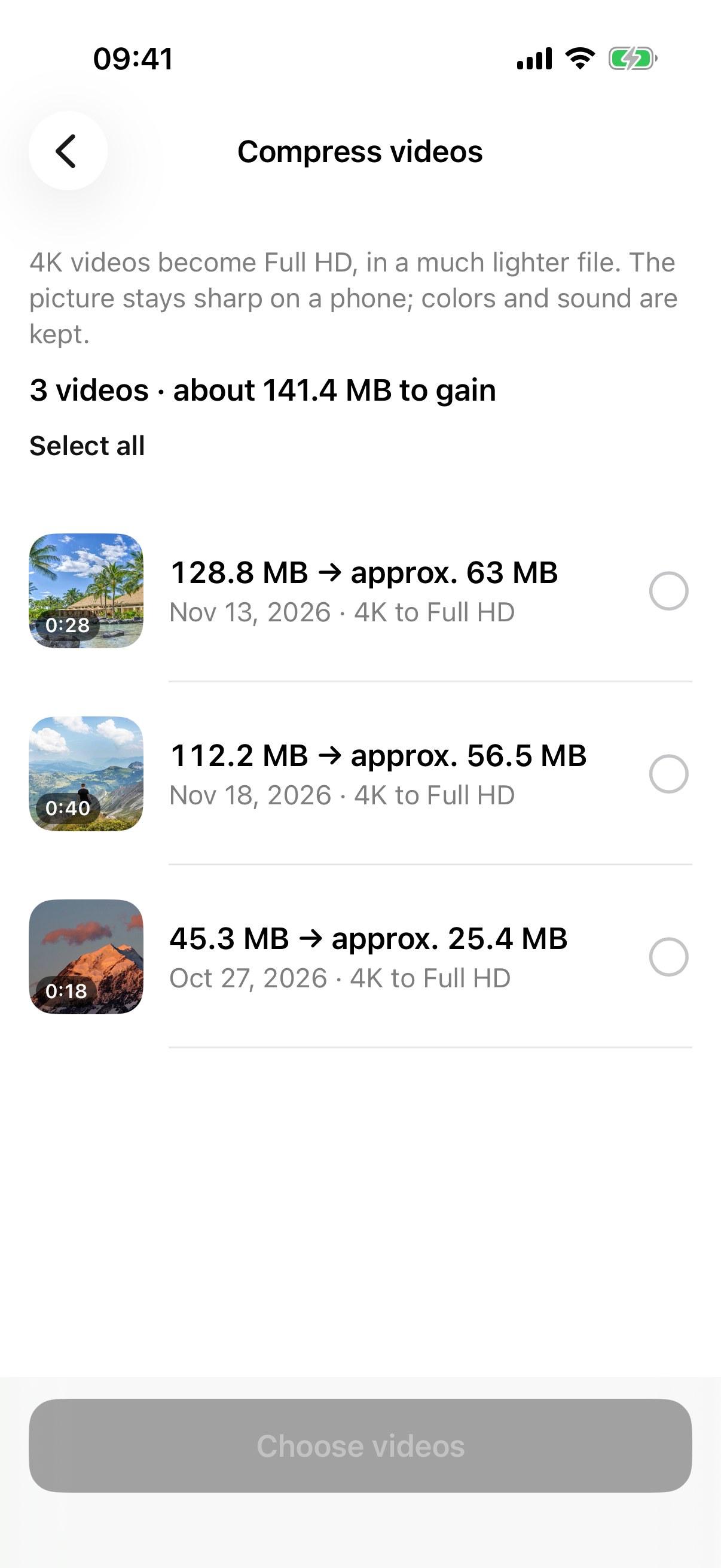
Lighter, not deleted
4K videos become Full HD, in a much lighter file. The copy keeps the date, place and albums; the original goes to the trash.
- What there is to gain
- You pick which ones
07 / 08
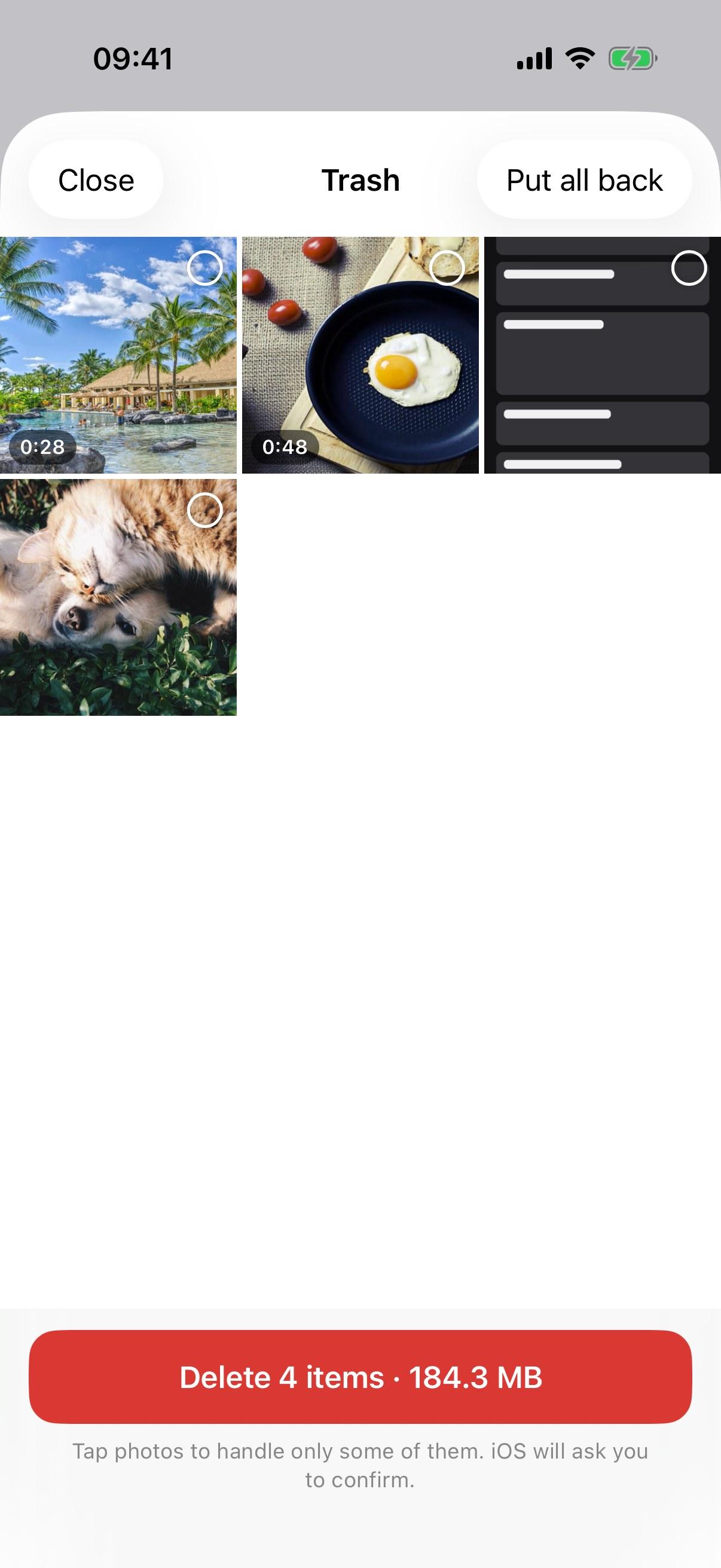
Nothing lost by mistake
What you delete while sorting waits here, and comes back in one tap. When you confirm, iOS asks too, and everything stays 30 days in “Recently Deleted”.
- What was set aside for deletion
- Confirm, with iOS asking too
08 / 08
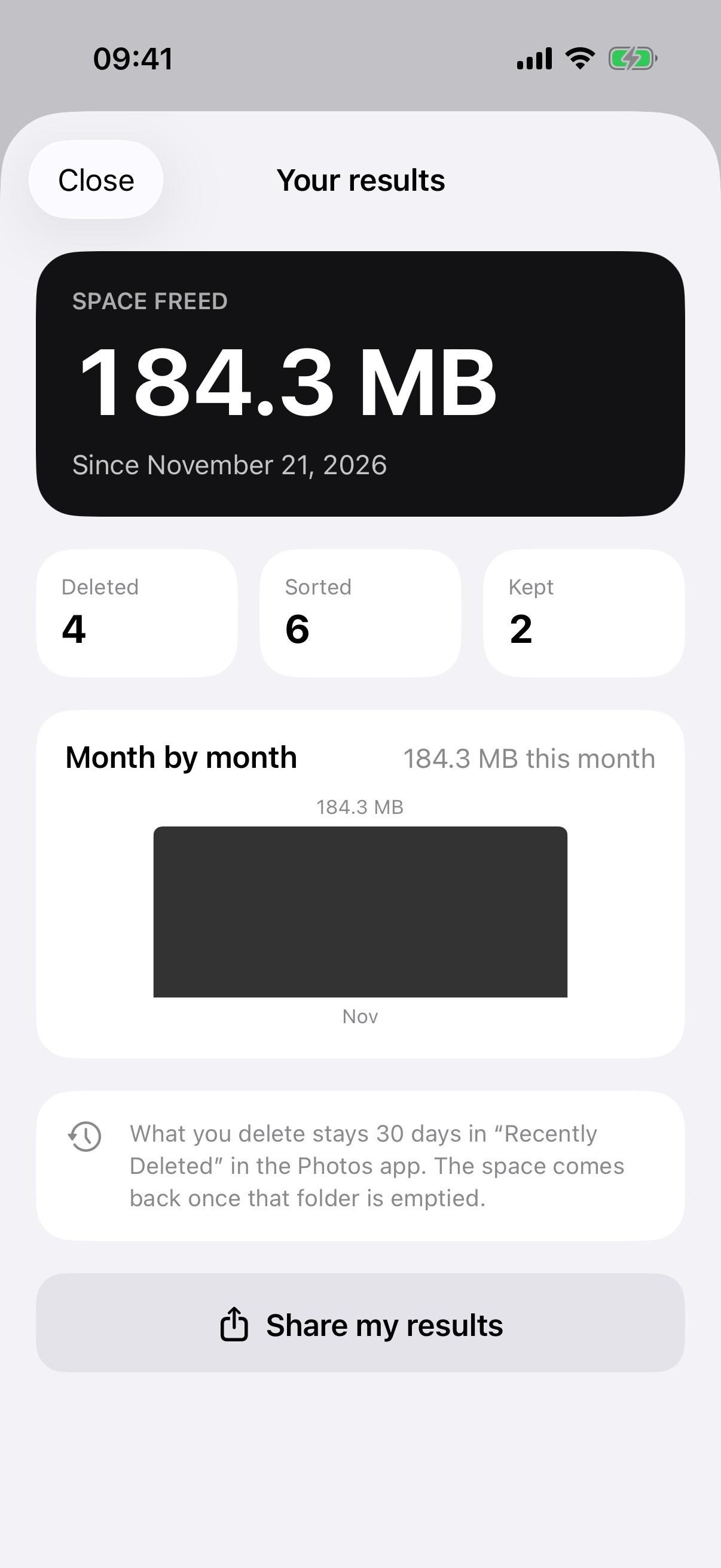
The report
The space freed since the first sort, what was deleted, sorted and kept, and the detail month by month. A report you can share as a picture.
- The space freed
- Deleted, sorted, kept
- Month by month
01 / 08
Under the hood
- Swift
- SwiftUI
- PhotoKit
- Vision
- AVFoundation
- ImageIO
- Swift Charts
- BackgroundTasks
- XCTest
Duplicates, checked
A fingerprint of each photo puts pairs forward, then a pixel comparison drops the false ones.
The real space
Each file's weight, on the iPhone and in iCloud, so the app only promises space that will come free.
Nothing leaves the iPhone
The analyses run on the device, with no account and no server.
The full case study
My role
A solo personal project: product design, SwiftUI development, detection of duplicates and similar photos, visual identity and launch film.
The problem
A photo library grows by thousands of photos and videos: bursts, duplicates, screenshots, 4K videos. The Photos app does not say what takes up the space, and sorting one by one soon wears you out. Sorting had to be quick, the space had to be shown where it is, and nothing could ever be lost by mistake.
The solution
An iOS app in SwiftUI, in English, French and Spanish, that works entirely on the iPhone, with no account to create. You sort by swiping: left to delete, right to keep, up for later, down to file into an album; a heart makes it a favourite. Ten sections go after the clutter: recents, random, on this day, by month, duplicates and similar photos, the largest files, screenshots, photos of text, received from apps, and albums. Three tools make files lighter without deleting them: 4K videos become Full HD, Live Photos become still photos, JPEGs move to HEIC. Everything you delete waits in the app's own trash: nothing is erased until you confirm, iOS asks too, and everything stays 30 days in “Recently Deleted”. A report shows the space freed.
What was hard
Finding duplicates without getting it wrong. Every photo gets a 128-bit fingerprint; two close fingerprints of the same shape and similar colours make a candidate pair, then a block-by-block pixel comparison drops the false ones. On Geoffrey's own library, 1,358 candidate pairs gave 97 real copies: that check is what lets them be cleaned up in one go.
Recognising photos of the same moment. Photos taken less than three minutes apart are compared with Vision's image analysis, on the iPhone, against a threshold measured on thousands of pairs. Each group is cut so that every photo in it looks directly like the suggested one, rather than chaining from one near neighbour to the next.
Telling the real space. An optimised library lives mostly in iCloud: on Geoffrey's own library, 161 GB in all, of which about 25 are on the iPhone. The app reads each file's weight and where it sits, and shows both, so it never promises space that would not come free.
Lighter without losing anything. A compressed video or a converted photo is saved next to the original with its date, place, favourite status and albums, then the original goes to the app's trash, where it can be recovered. The analyses run on dedicated queues, never in Swift's task pool, where the blocking calls of Photos and Vision had deadlocked one another.
The outcome
Not released yet: the app runs on Geoffrey's iPhone, on his own library of more than 15,000 photos and videos.